

Manage session status and attendance
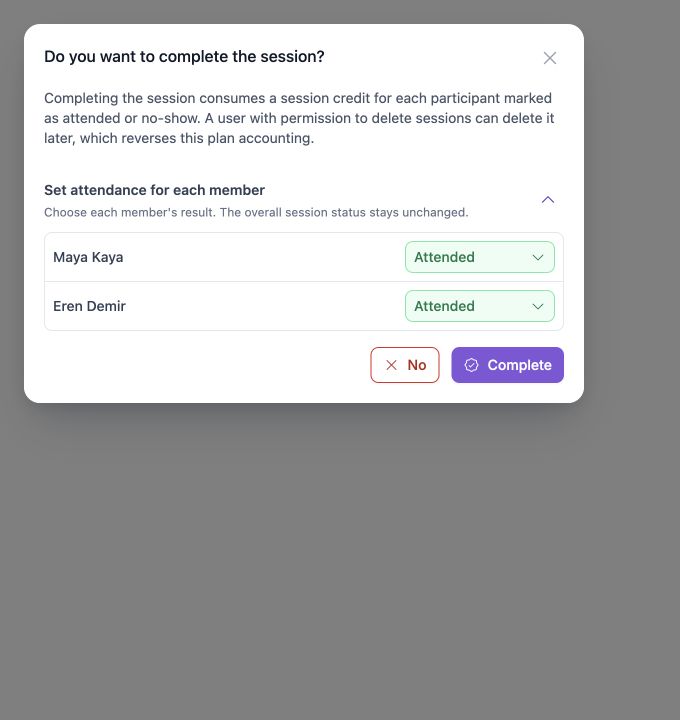
CoachTrack separates the overall session status from the attendance result for each member. Open a session from the Calendar to review or change both.
Overall session statuses
| Status | Meaning |
|---|---|
| Scheduled | The session is still open for normal scheduling and attendance updates. |
| In progress | A display state used while the current session time is underway. |
| Needs review | The session has ended, but at least one member is still not marked with a final result. |
| Completed | The session took place and completion was confirmed. |
| Cancelled | The session event was cancelled. |
| Not held | The session did not take place and was marked unattended. |
Completed, cancelled, and not-held are result states for the session event. The participant results are still recorded separately. If a correction is needed, a user with edit access can move the session back to Scheduled before applying a new outcome.
Member attendance statuses
| Member status | Meaning | Normal plan effect |
|---|---|---|
| Booked | The member is expected but a final result has not been recorded. | No credit is consumed yet. |
| Attended | The member took part in the session. | One session credit is consumed when the session is completed. |
| No-show | The member did not attend. | One session credit is consumed when the session is completed or marked unattended. |
| Cancelled | The member's participation was cancelled. | On a cancelled session, available cancellation allowance is used first; otherwise a credit is consumed. |
Review attendance
- Open the session details page.
- Use the member attendance control to select Attended, No-show, Cancelled, or Booked.
- For group sessions, review every member before changing the overall session status.
If a session ends with a member still marked Booked, CoachTrack keeps the session in Needs review until the attendance is resolved.
Activity completion rule
If the session type has a minimum activity count, CoachTrack prevents completion until that number of activities has been recorded. Add the missing activities, then try completing the session again.
See Complete, cancel, or mark a session unattended for the full status-change flow.
Updated 10 days ago