

Complete, cancel, or mark a session unattended
Open the session details page and use the session status control to choose the appropriate outcome. Group sessions show a member-by-member review before the change is saved.
Complete a session
- Open the session from the Calendar.
- Change the session status to Completed.
- If the session type has a minimum activity rule, add enough activities to meet it.
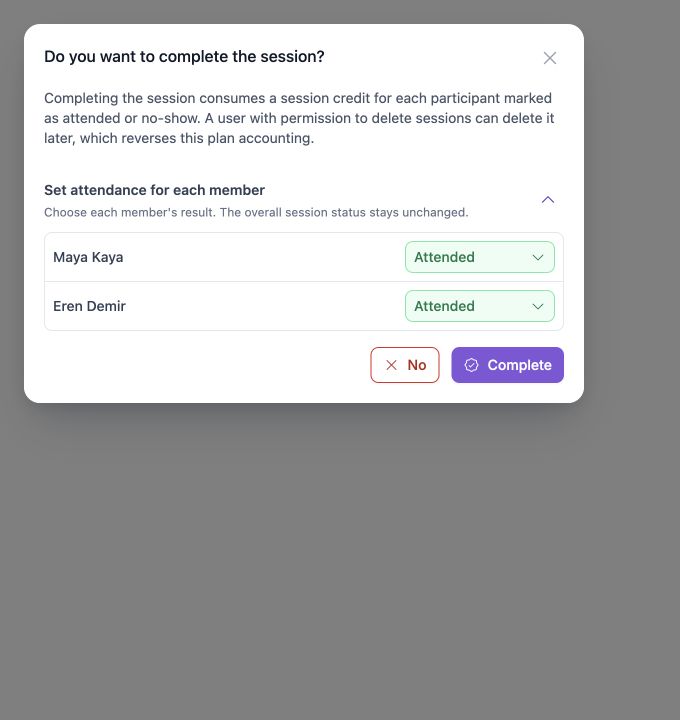
- In the confirmation dialog, review each member's final result.
- Select Complete.
The confirmation dialog defaults each group member to Attended. Change a member to No-show or Cancelled when needed.
Completion accounting
- Attended and No-show consume one session credit for that member.
- Cancelled does not consume a credit during completion.
- A user with permission to delete sessions can delete the session later to reverse the related plan accounting.
If the minimum activity count is not met, CoachTrack shows a completion warning and keeps the session open.
Cancel a session
- Open the session from the Calendar.
- Change the session status to Cancelled.
- Review the cancellation impact for each member.
- Keep each member as Cancelled, or choose Attended or No-show when that is the correct final result.
- Add a status note when useful, then select Cancel.
Cancellation is accounted for per member:
- If the member has cancellation allowance remaining, one allowance is used.
- If no allowance remains, one session credit is consumed.
- If a member is changed to Attended or No-show in the dialog, one session credit is consumed for that member.
The account can require status notes. When that setting is enabled, the note must contain at least three characters.
Mark a session unattended
Use Mark as unattended when the session did not take place. This sets the overall session result to Not held.
- Open the session from the Calendar.
- Change the session status to Not held or choose the unattended action.
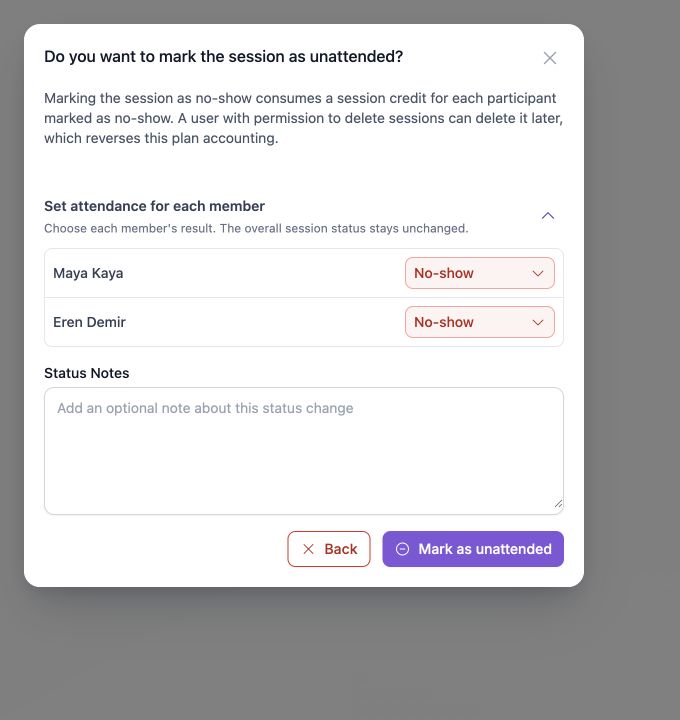
- Review each member's result.
- Leave members as No-show, or change an individual member to Attended or Cancelled.
- Add a status note when useful, then select Mark as unattended.
The dialog defaults each member to No-show. A no-show consumes one session credit for that member. Deleting the session later can reverse that accounting when the user has permission.
After the status change
The session details page keeps the overall status, member result, and status note visible for later review. If a session is still in Needs review, resolve every Booked member before closing it with a final outcome.
Updated 10 days ago